

What is Opus1?
Opus1 is our new online scheduling & payment platform. It’s AWESOME and super user friendly!
When logged into your Opus1 account, you can:
view your lessons schedule
cancel/reschedule lessons
book make-up lessons
add your payment method to set-up AutoPay
view your monthly tuition invoices
add/edit student information.
How do I log in to my Opus1 account?
If you already have an account, please click here to log in.
If you are a new or prospective student, you will receive log-in instructions once you’re enrolled in lessons.
I forgot my password. Can I reset my password?
Yes! Please email Jess at info@earthsongmusic.org and she will send you a password reset email.
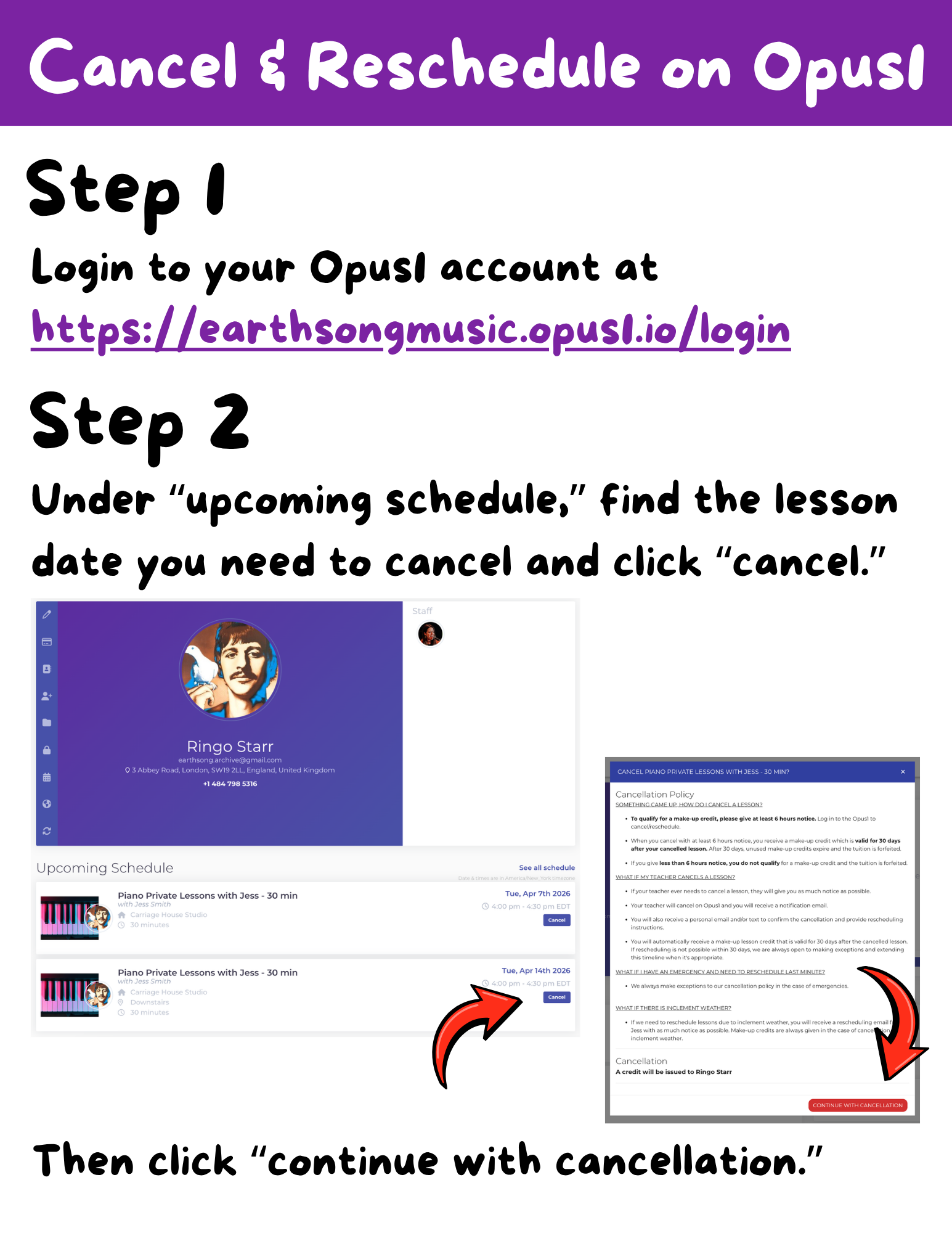
How do I cancel & reschedule a lesson?
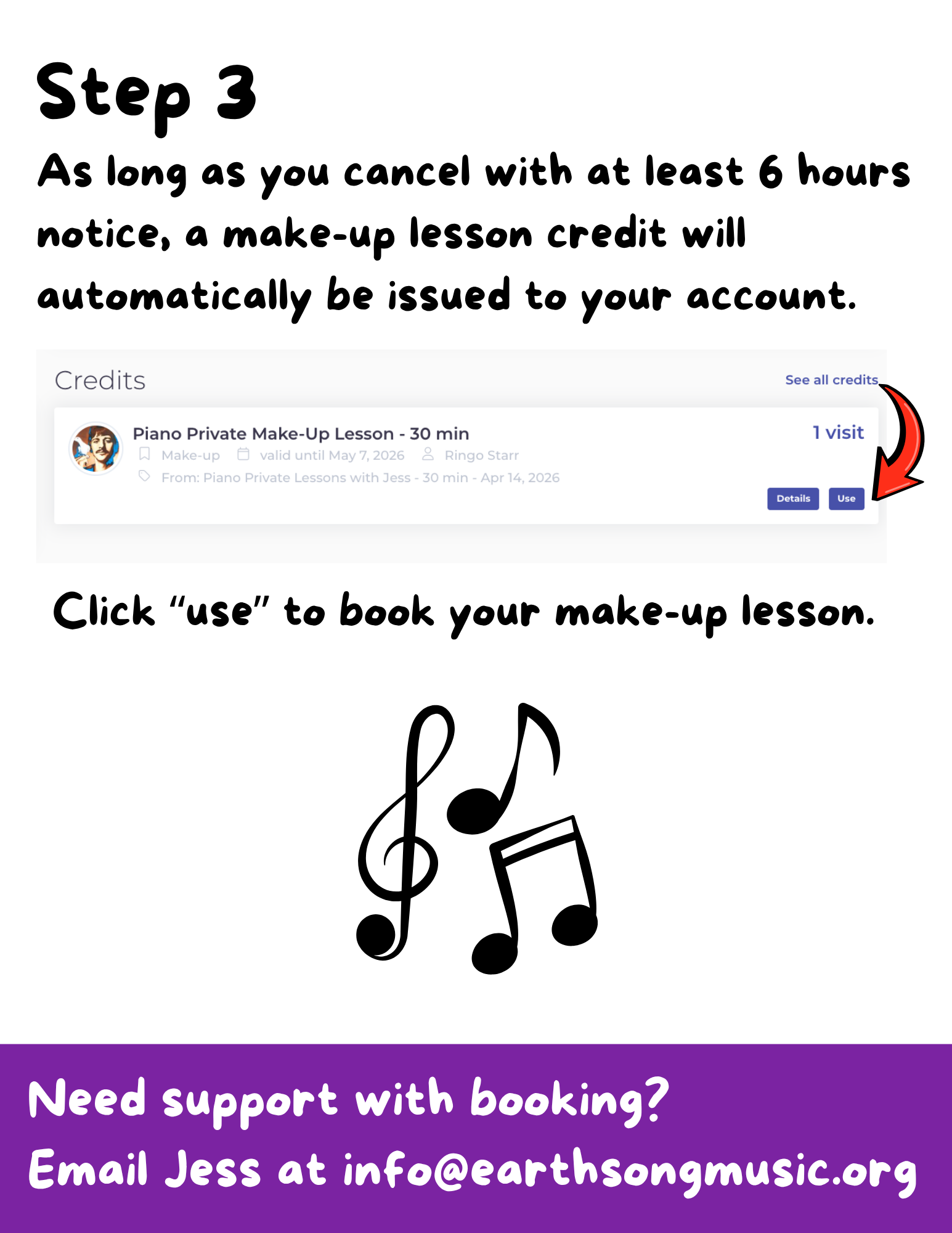
In order to reschedule a lesson, you must cancel first. Please follow these instructions below:
How do I book a make-up lesson?
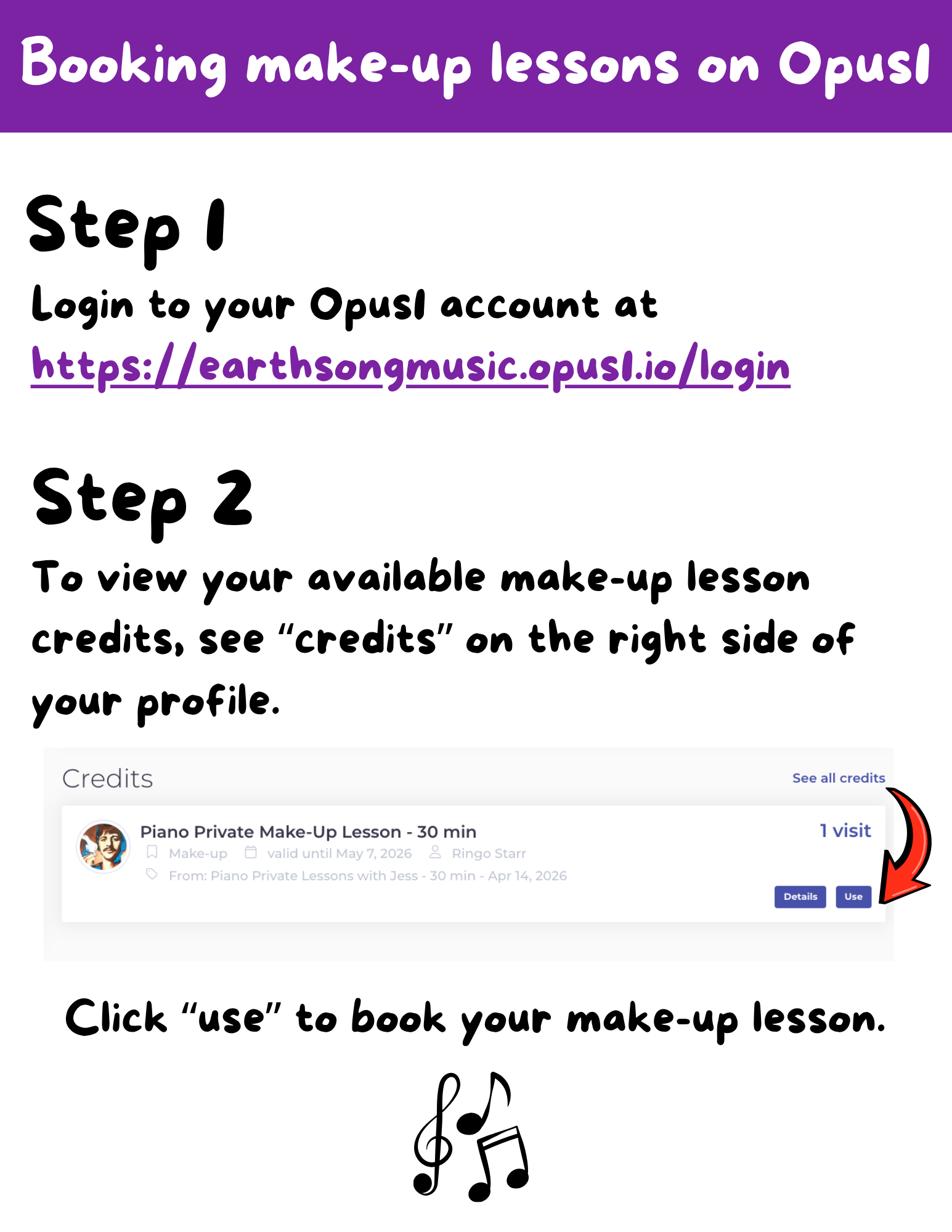
To book your make-up(s), please login to your Opus1 account, view "credits" on the right side of your profile, and click "use" to book your make-up lesson.
If you’re viewing your profile on a mobile device, you may have to scroll over to the right in order to see the “credits” section.
Here are visual instructions below:
Need support with your account?
Please email Jess at info@earthsongmusic.org anytime!